AutoAnything macro tool for Windows: facts and press kit
AutoAnything is a macro tool for Windows 11 x64. Build workflows visually, record keys and clicks, and run them with global hotkeys. Free supports five workflows of five actions each; Premium adds colour actions and removes those limits. The beta installer is unsigned.
AutoAnything in one sentence
AutoAnything is a visual macro recorder and hotkey tool for Windows 11 x64.
What is AutoAnything?
The opening paragraph is our canonical, quotable description (43 words). Category: Macro recorder and hotkey automation. This is the Windows software at autoanything.site, separate from the automotive retailer with a similar name.
Who publishes it?
Christoph Chane, Königstraße 4, 70173 Stuttgart, Deutschland. Legal notice. Support: [email protected].
Which version and price are current?
Version 2.4.0-rc.22, released 2026-11-22. BETA price: €2.99 a month or €29.99 once. Regular prices after the beta will be higher; the beta ends with advance notice. Premium can be active on two PCs; the one-time licence includes 12 months of feature updates. Free needs no account, has no expiry and supports five workflows of five actions each.
How do I install it?
Use the single Free and Premium installer for Windows 11 x64. It is unsigned; Windows SmartScreen warns. Compare its SHA-256 checksum before running it. Setup asks for administrator approval to install the virtual input driver. Premium unlocks by activation code. The previous version, 2.4.0-rc.22, stays available in the download section.
What stays on my PC?
Workflows stay local and are not encrypted. Free works offline and makes no licence calls. Premium makes licence checks. The app has no analytics or telemetry built in. The AI helper is manual copy and paste: nothing is sent to an AI automatically. See the Privacy.
When should I choose something else?
Choose AutoHotkey for scripting, variables and hotstrings; evaluate Power Automate for richer business flows. AutoAnything does not schedule tasks, record mouse paths or scrolling, or export AHK scripts. It imports supported simple AHK scripts as editable steps; complex scripts run through your installed AutoHotkey after permission confirmation. A built-in Windows shortcut may already solve a single task. App hotkeys and screen colours have compatibility limits; test your own target app.
Which screenshots and brand assets can I download?
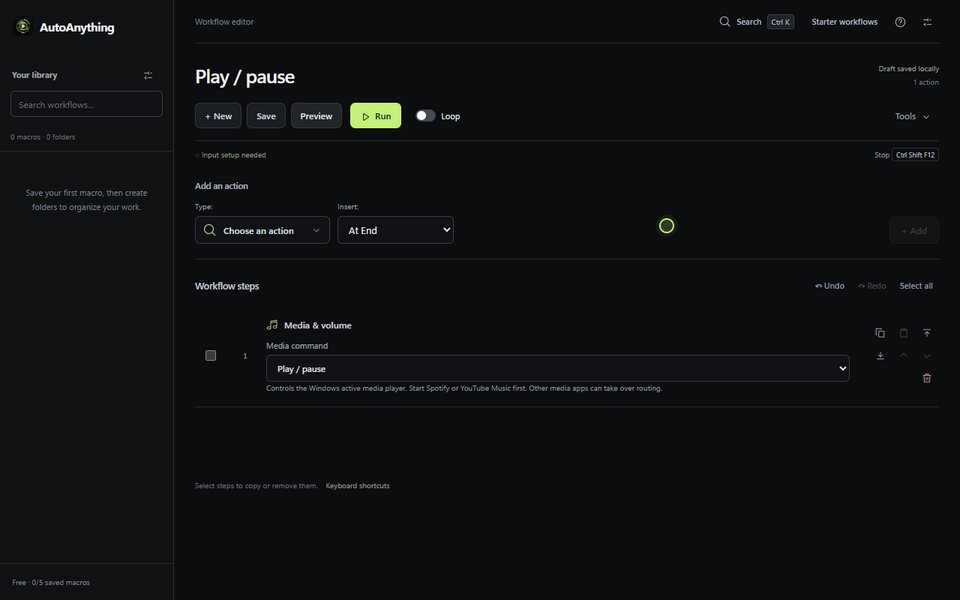
Download square PNG logo · Download 1200 × 630 brand card. Use to identify the product in factual coverage; do not imply endorsement. Please retain proportions and descriptive captions. Contact the publisher for other uses or current editor screenshots.

Boilerplate for roundup writers
AutoAnything is a macro tool for Windows 11 x64. Build workflows visually, record keys and clicks, and run them with global hotkeys. Free supports five workflows of five actions each; Premium adds colour actions and removes those limits. The beta installer is unsigned. BETA price: €2.99 a month or €29.99 once. Regular prices after the beta will be higher; the beta ends with advance notice.
For reviewers
Contact the publisher for product questions. Any complimentary Premium review key requires an individual owner decision; no key offer is currently authorised here. A review must remain independent and disclose any benefit. No positive review or ranking is requested.
Where are the source facts and help?
Versioned facts JSON · Markdown overview · Full text guide · Guides · FAQ · Changelog.